
software that empowers your team

software that empowers your team


(Only users that belong to the Administration Role can see the Security Manager)
1. Click the Admin Module tab.
2. Click the Security Manager.
3. In the All Roles area of the Security Manager, find a Role that the user is a member of and single click the Role to highlight it. The Role's users will appear in the Users in "role name" area.
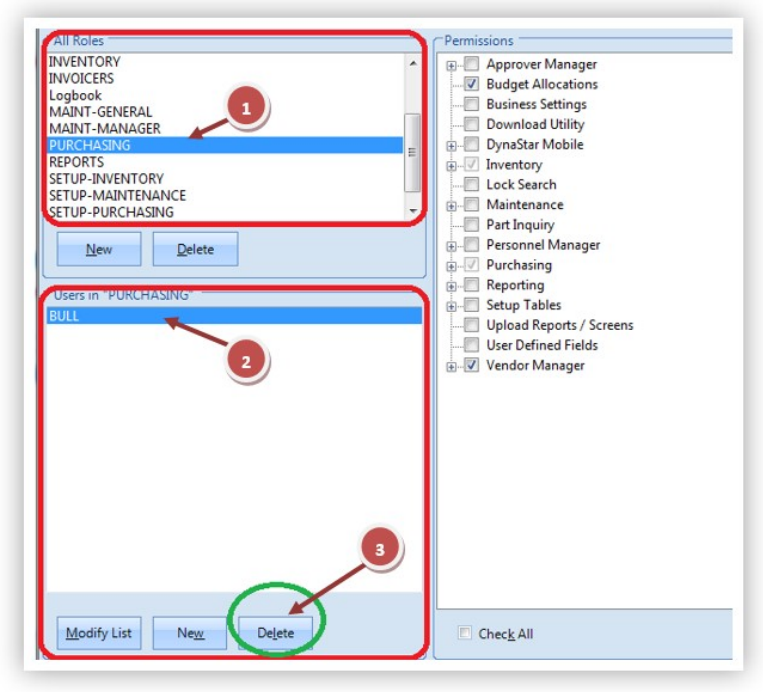
4. Click the username of the Logon to be deleted.
5. Click the Delete button at the bottom of the Users in "role name" area.
The username is removed from all Roles and the User Logon has been deleted. The user can no longer sign into DynaStar™, however, the user's personnel entry still remains in the Personnel Manager for historical purposes.
