
software that empowers your team

software that empowers your team


DynaStar™ can make use of Windows® Alt Menu Shortcuts
In older versions of Windows® this feature was enabled by default. In Windows® 10 and 11 this feature is not enabled by default, but it is still available to be used. To enable this feature in Windows® 10:
When turned on and a User presses the ALT key on the keyboard then Windows will put a character(s) that can be typed on the keyboard to access a menu item. For instance:
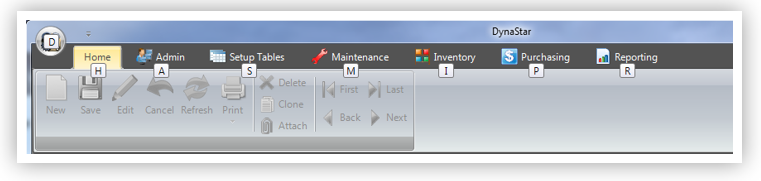
4. Clicking the M key, will open the Maintenance Menu.
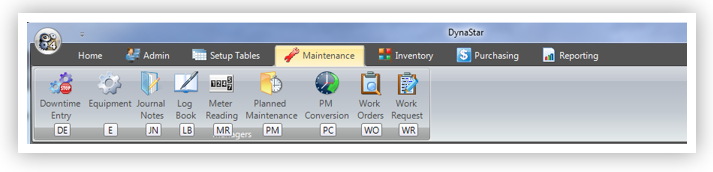
5. Clicking the W key, then the O key will open up the Work Order Manager.
