software that empowers your team

software that empowers your team


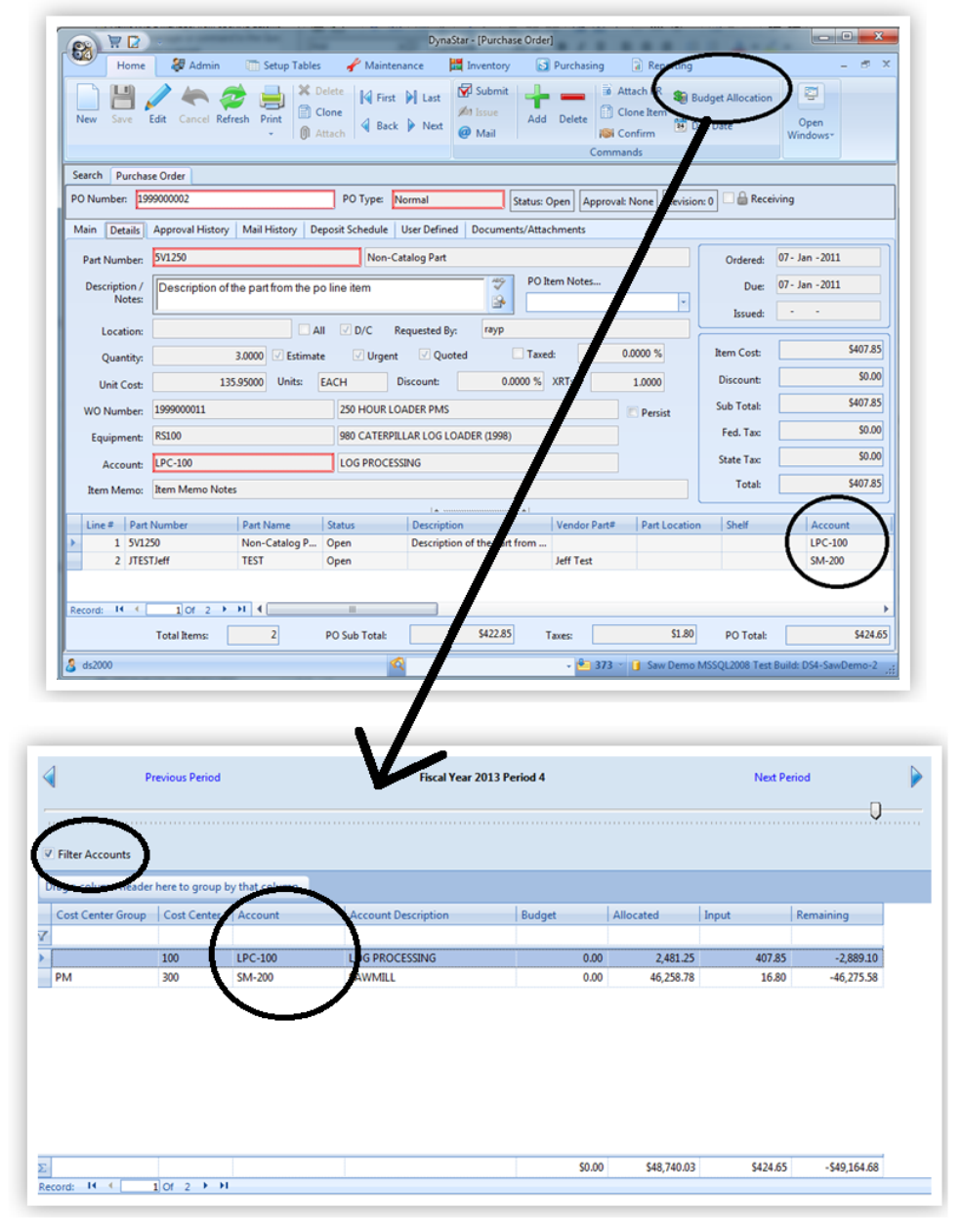
The Budget Allocation Utility is used to allow a user to view how adding a Requisition, a Purchase Order or approving an item will affect the period budget. Use of the Budget Allocation Utility helps, a purchaser or an approver, to keep on top of their budget and spending and allows at a quick glance what effect the purchase will have on the budget defined for the period.
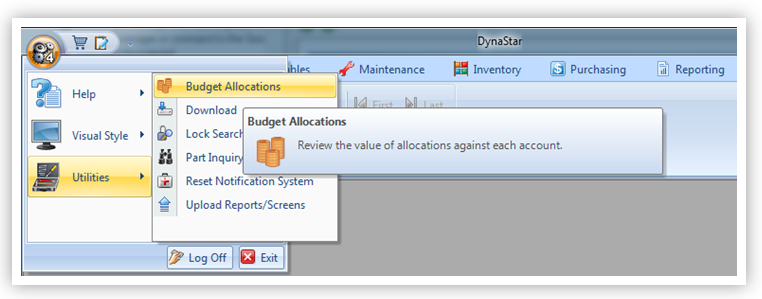
This utility can be accessed from:
1. The APP Menuby clicking the Utilities Menu, thenBudget Allocations (as shown above)
2. The PO Generatorby clicking the toolbar icon Budget Allocations
3. The Purchase Order Manager by clicking the toolbar icon Budget Allocations
4. The Requisition Manager by clicking the toolbar icon Budget Allocations
5. The Approval Manager by clicking the toolbar icon Budget Allocations
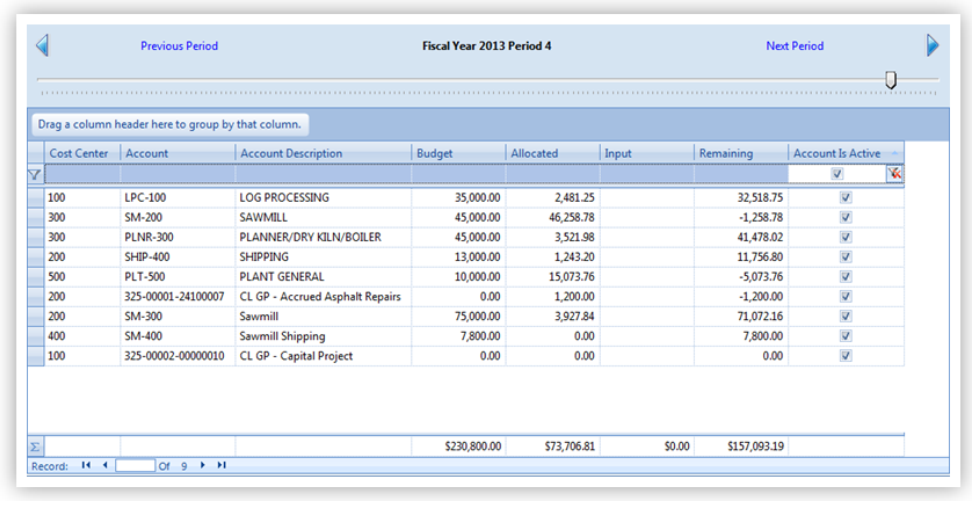
The Budget Allocation Screen, displays for each account in the system, for the current period displayed:
When opening from the Utilities Manager, shown below, all account codes are shown by default
When opening from one of the Purchasing Module Managers, the account code list is filtered to only those accounts on the record being inputted into the utility.