
software that empowers your team

software that empowers your team


The Lock Search Utility allows for quickly finding who has been assigned a particular lock.
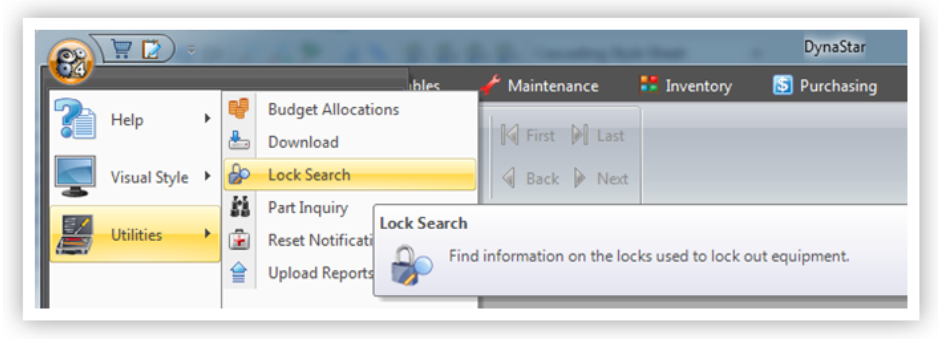
Access the Lock Search from the APP Menu
1. Click the APP Menu.
2. Click Utilities
3. Click Lock Search
4. The Lock Search Screen appears with the full list of locks displayed.
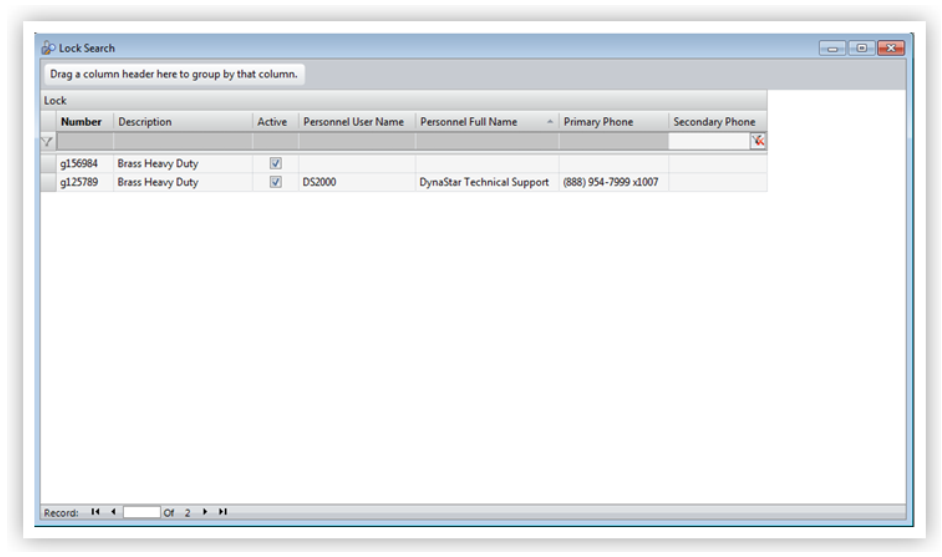
5. Scroll the list, or filter the list, for the lock to be found.
