
software that empowers your team

software that empowers your team


Located on the status bar to the bottom right of the DynaStar™ Application, the Notification menu gives a user access to their unread notifications, all their notifications not deleted, and to notification rules that the user has created.
DynaStar™ delivers notifications in two ways:
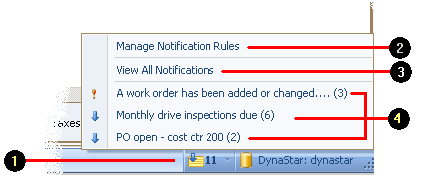
For more information on Notifications see Using Notifications in Getting Started with DynaStar™.
