software that empowers your team

software that empowers your team


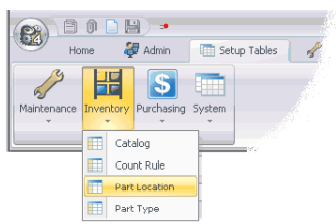
To open a Setup Table for a Module click the Setup Tables Module Tab. Then click the appropriate module button. Then choose the setup table to view and / or edit. Below the diagram shows opening the Setup tables for the Inventory Module