
software that empowers your team

software that empowers your team


This utility is available to DynaStar™ Administrators only. It allows an Administrator to quickly and easily stop and restart the Notification System. The Notification System may get turned off or need to be restarted after IT performs updates or maintenance on the server that DynaStar™ resides on.
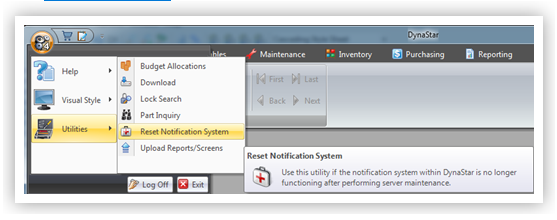
1. Click the APP Menu
2. Click Utilities
3. Click Reset Notification System
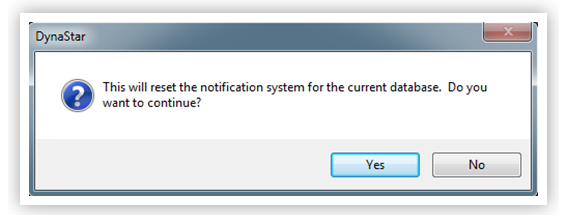
4. From the Pop Up Dialogue Click Yes to confirm the reset
5. If the Notification System Resets the following information message will appear
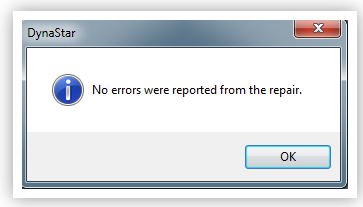
6. If any errors occurred contact a DynaStar Support Specialist for help
