
software that empowers your team

software that empowers your team


Date criteria fields in DynaStar can be used to search forward, present or backward in time. There are many different modes for date criteria fields giving a multitude of searching options.
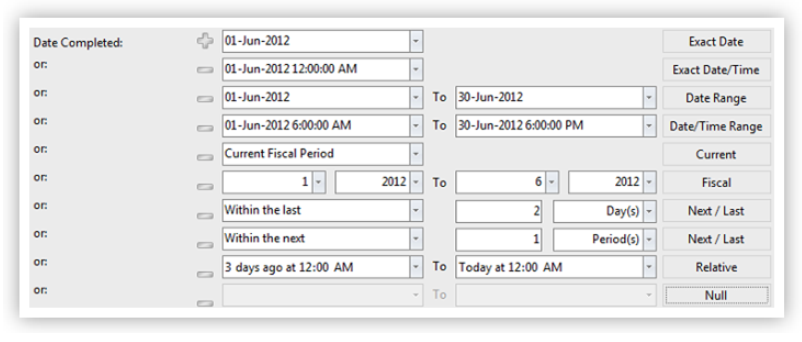
Date Criteria fields can be set to the following modes:
NOTES:
Date used for bookmarks, notifications and/or report scheduling should be using one of the Search Modes: Current, Fiscal, Next/Last, Relative or NULL. Searches run with these mode options will return dates / ranges that are always being updated based on the time the search is performed.
If Exact or Range mode options are used then those searches when run will only return records with the date or range entered each time.
