
software that empowers your team

software that empowers your team


Use the Equipment Location field to narrow searches to records that have equipment located in particular areas. Choose a location node to narrow the search results. When searching by equipment locations, all sub-locations of the node chosen are automatically included in the search.
To Search by Equipment Location
1. In the Equipment Location criteria field, click the drop-down button to view the equipment location tree.
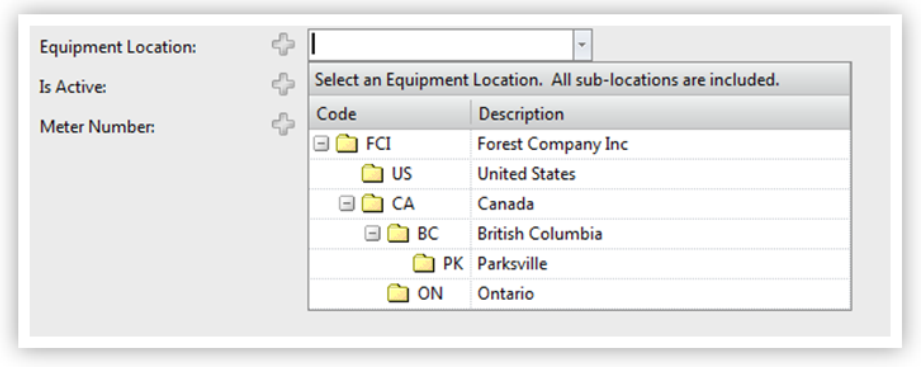
2. Click either the folder (code) or the location name (description) to select it.
3. Searches for matching records will automatically include and and all sub-locations
In the example screenshot above, choosing the location BC would automatically, when the search is performed, include all records with a location code of BC and the location code PK.
