
software that empowers your team

software that empowers your team


Most grids in DynaStar™, have a filter row. The filter row can be turned on or off by a user. In some parts of the application the filter row may be turned off by default. DynaStar™ stores each grid setting on a user-by-user basis. Turning a filter row on or off does not affect another user. Each user has their own grid preferences for each grid in the application. (see also Using the DynaStar™ Grid Filter Row)
To show a filter row on a grid:
1. Right-Click the grid.
2. The grid Pop-Up Menu will appear.
3. Click Filter Row.
4. The grid will display the filter row.
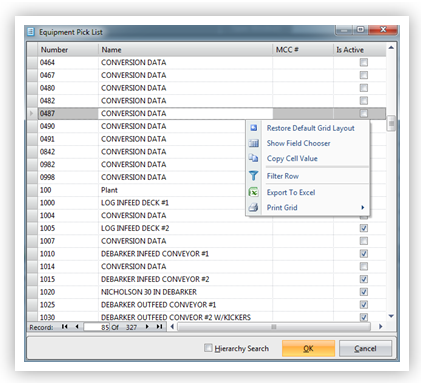
Grid without a filter row shown.
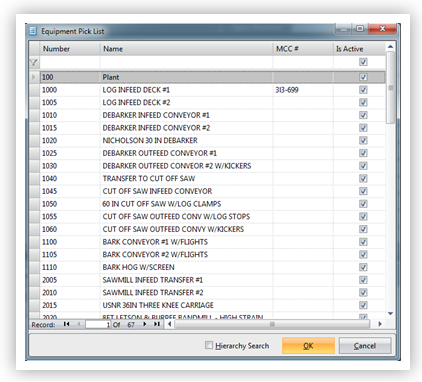
Filter row now shown above the data on the grid.
To hide a filter row on a grid:
1. Right-Click the grid.
2. The grid Pop-Up Menu will appear.
3. Click Filter Row.
4. The grid will remove the filter row.
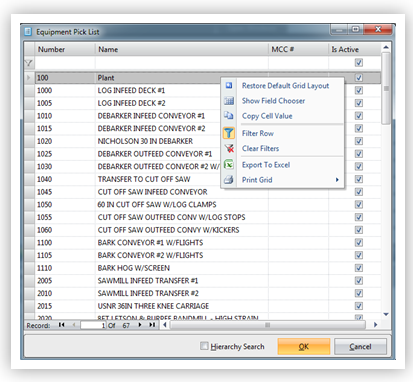
Filter row shown on the grid
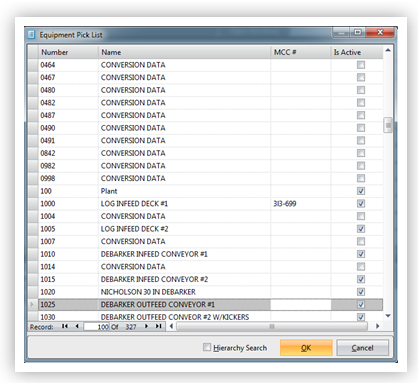
Filter row not shown on the grid
